
Support for monolingual content
General information
Version 14.0.0 now allows you to fill out content in only one language if it does not require translation into other languages enabled in your company.
Now the administrator can decide whether to fill out information only in the primary language or to fully translate the content into all languages available in the company.
This will significantly save administrators time when creating content, simplify the management of training content, while maintaining a familiar user experience—they will continue to see the content in their preferred language if the information was filled in, and if translation is not required, a version in the company's primary language is displayed.
Reference information
- Multilingualism - in the administrative panel, content information must be filled in in all languages included in the company; the user will see the data in the content language they selected;
- Monolingualism - content is filled in only one language, and this data will be displayed to the user regardless of the content language they have selected.
Monolingualism: What the Administrator Sees
For businesses with multiple languages, the Primary Language Only slider appears in the following content types:
- in materials from the Materials section;
- in the categories of the Training and Tasks sections;
- in learning programs and trajectories;
- in tasks;
- in messages.
Version 14.4.0 adds the ability to enable monolingualism in the following content types:
- in the materials of the Media Library section;
- in the categories of the Media Library section;
- in the materials of the Documents section (document/link);
- in the folder / subfolder / html directory in the Documents section;
- in the material / link / folder of the Explorer section;
- in the banner on the Main Page.
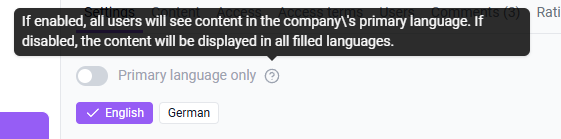
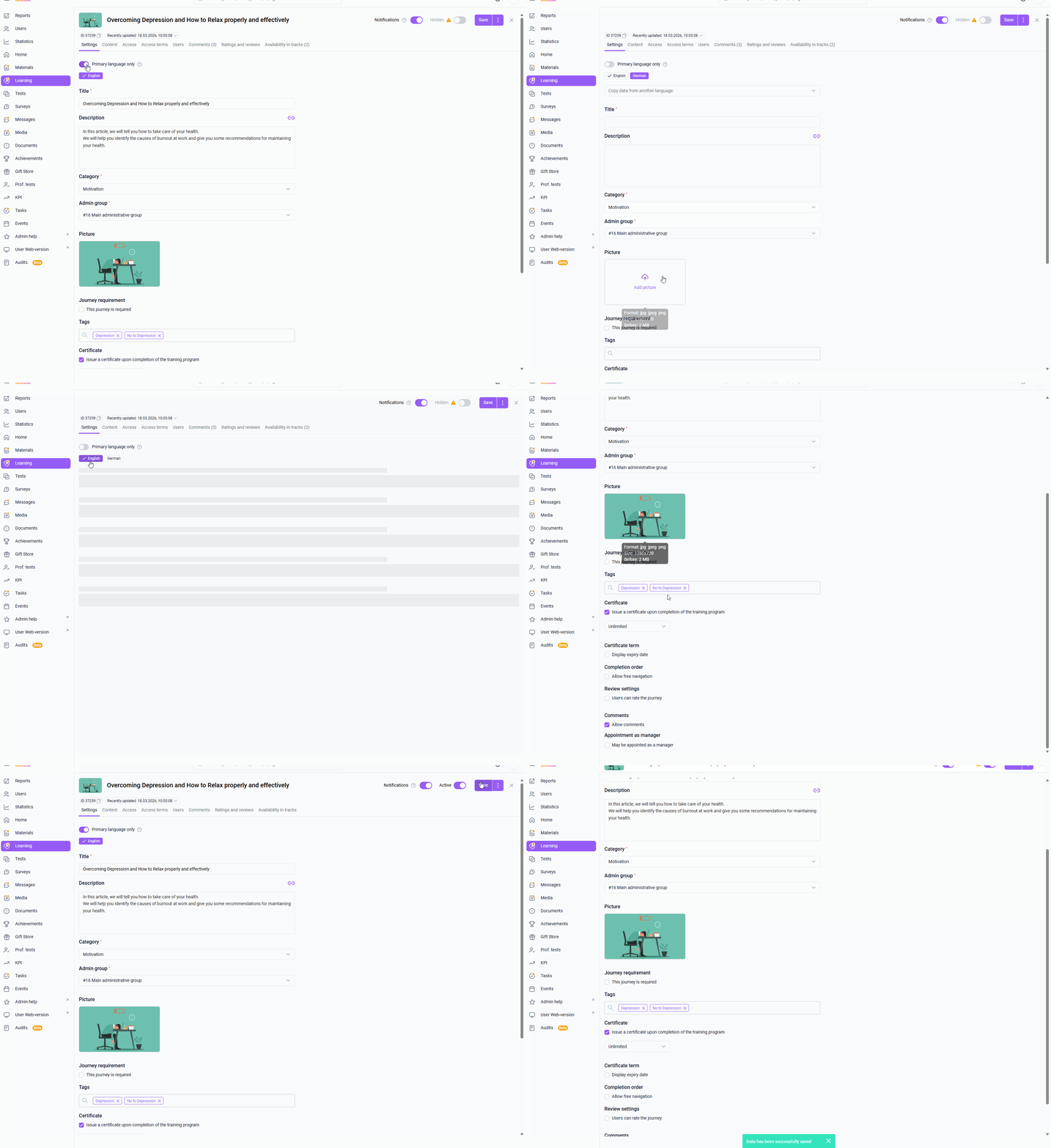
How the "Primary Language Only" feature works :
- If enabled , to activate the content you only need to fill in the values in the main language;
- If disabled , then to activate the material you need to fill in the values in all languages connected in the company.
Monolingualism: What the user sees
When enabling the "Primary Language Only" feature in content, the user will see the following display:
Chapter
What will be displayed to the user
when monolingualism is enabled in the content?
Messages | In the company's primary language:
|
Tasks | In the company's primary language:
|
Training: | In the company's primary language:
Important: If the program contains multilingual materials (in the material, the slider “Only primary language” is turned off and the fields in other languages are filled in), then when passing it, the user will see the data of the materials in the content language that he has chosen . The certificate image will be taken from the user's content language, and the name of the monolingual |
Learning: | In the company's primary language:
Important: If the trajectory contains multilingual training programs or materials(in the program/material itself, the "Primary language only" slider is disabled and the fields in other languages are filled in),then when completing the trajectory, the user will see the program/material data in the language they selected as the content language . The certificate image will be taken from the user's content language, and the name of the monolingual |
My team | Information about subordinates' progress on monolingual content will be displayed to the manager in the company's primary language |
Profile: | Progress information for monolingual content will be displayed in the company's primary language, while progress information for multilingual |
Achievements | Progress information for monolingual content will be displayed in the company's primary language, while progress information for multilingual |
Home | If the content is monolingual , then information about it will be displayed in the company's primary language in widgets :
If the content is multilingual , the information will be displayed in the content language set by the user. |
Media Library | In the company's primary language:
It is also possible to enable monolingualism for a category in the Media Library section. |
Documents | In the company's primary language:
|
Conductor | In the company's primary language:
|
When sending notifications for monolingual content:
- the text and subject of the notification will be sent in the language of the content used by the user;
- The content image, title tags, and descriptions in the notification text will be taken from the primary language used in the company.
Currently, section search and global search do not display content that is marked as monolingual.